
How to Connect with Albi API and Obtain Your API Key
Step by step guide to connect with Albi API and obtain your API Key.
Step 1: Navigate to Integrations
-
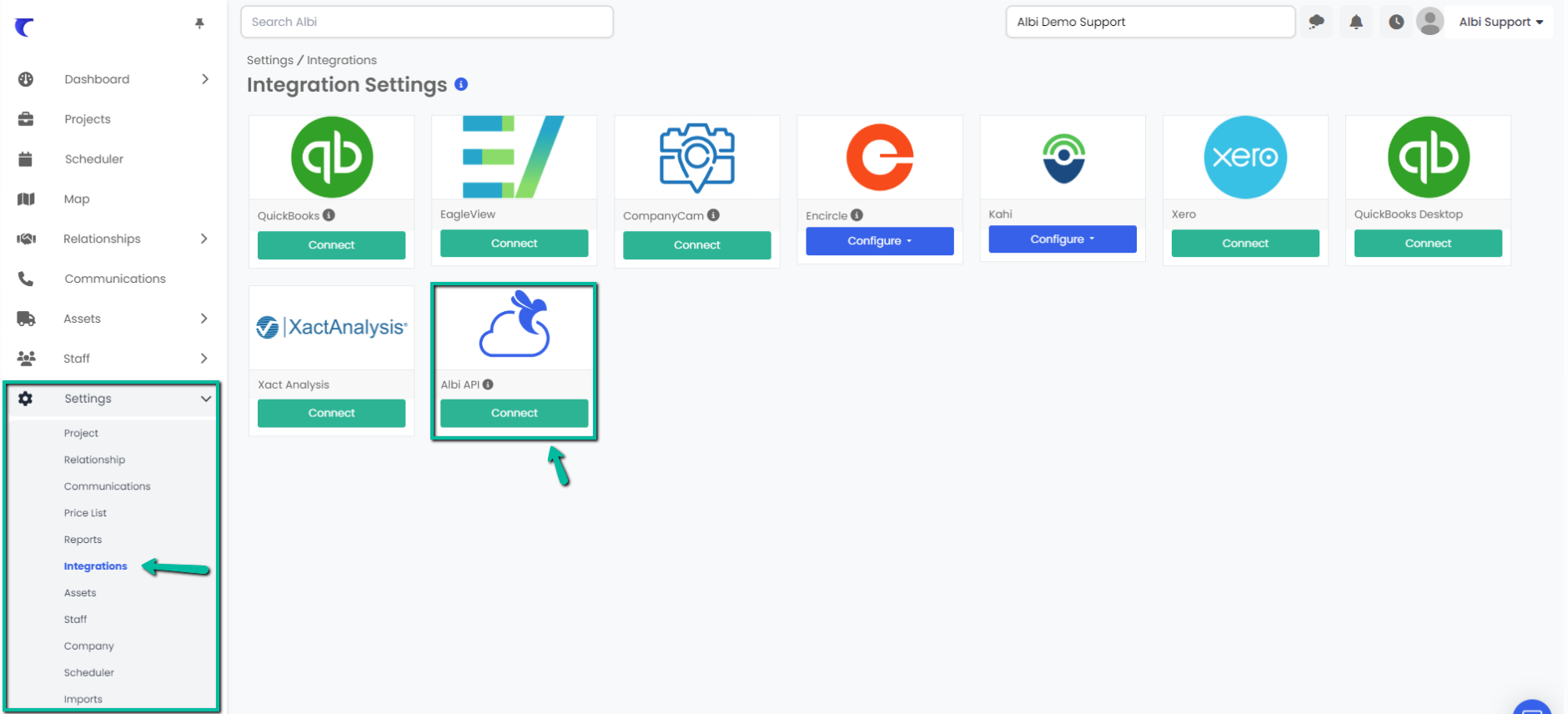
Go to Settings from the left sidebar.
-
Select Integrations.
Step 2: Connect to Albi API
-
If you are not connected to the Albi API:
-
Find the Albi API icon.
-
Click Connect.
-
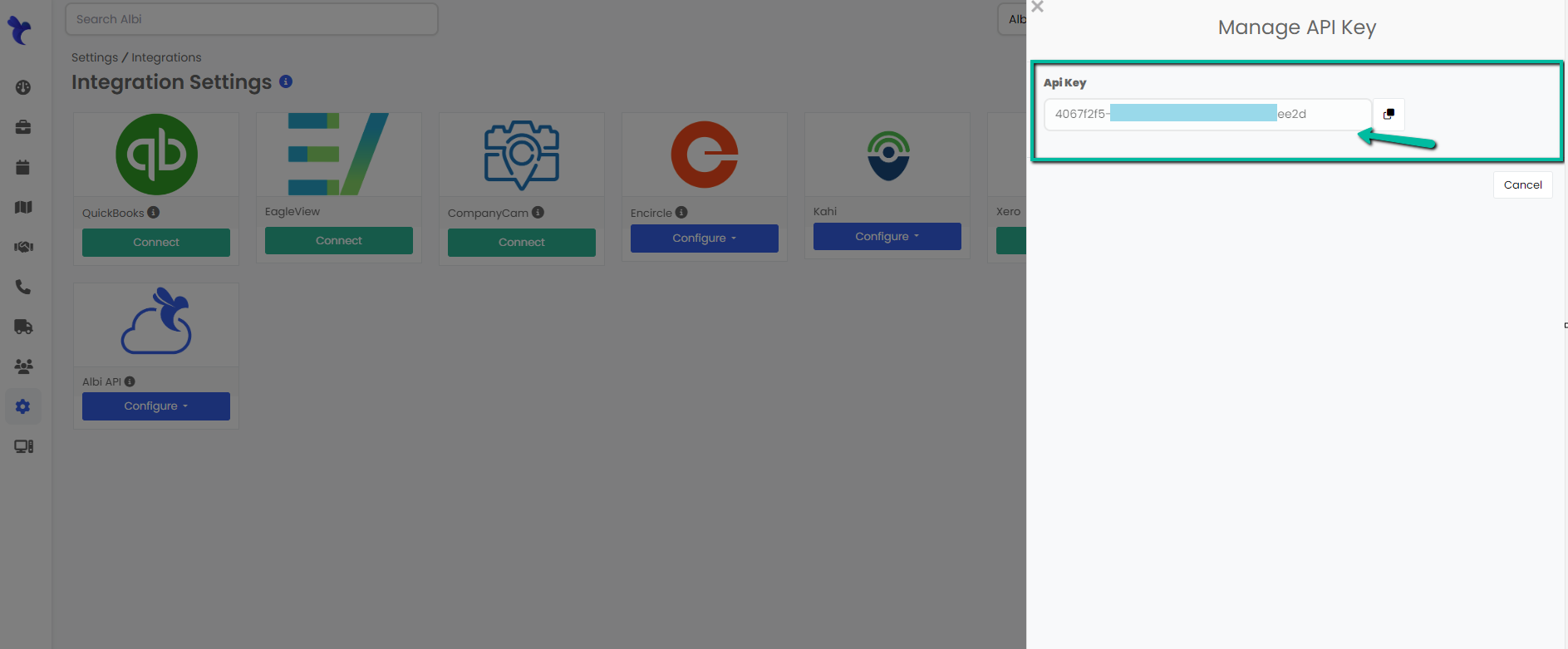
Your API Key will appear on the right side of the page.
-
-
If you are already connected to the Albi API:
-
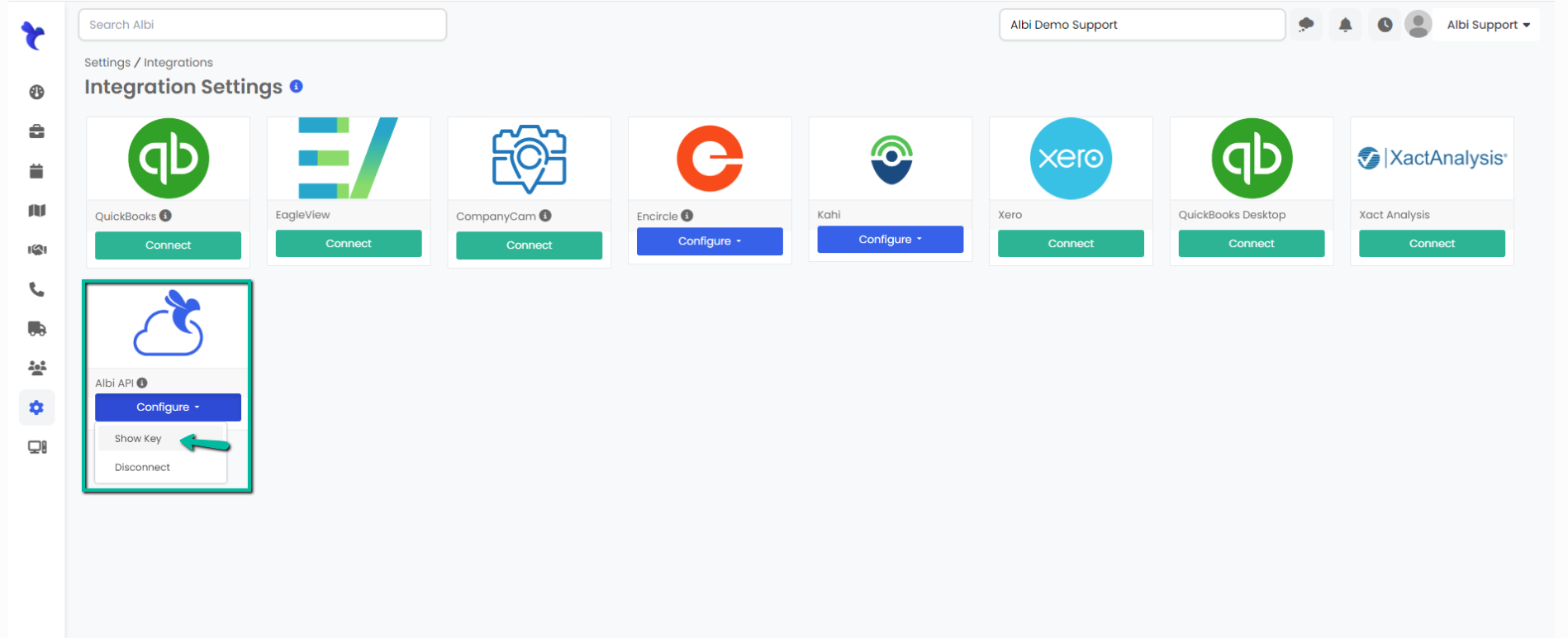
Click Configure under the Albi API section.
-
Click the Show Key button to display your API Key.
-